












Your pipeline hears about it first.
Cutsio pushes signed events when videos finish, fail, produce transcripts, or finish generating metadata — so automations, alerts, and CMS updates trigger themselves. No polling.
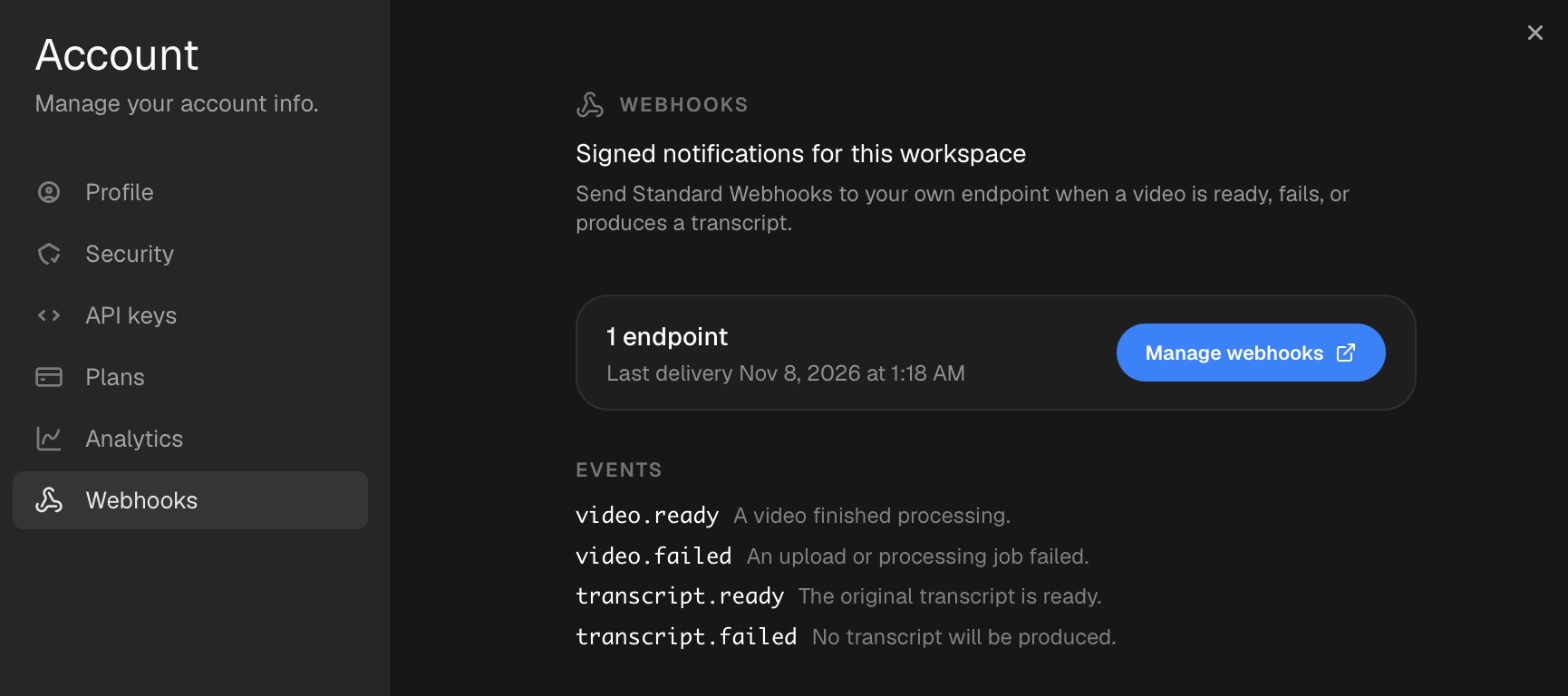
Included with the Studio and Enterprise plans. Managed in Settings → Webhooks.
Seven events. The whole lifecycle.
One catalog, versioned. Subscribe to what your pipeline needs — the event id stays stable across retries so duplicates collapse into one. Metadata events get a new id per generation job, so regenerations are delivered too.
video.readyA video finished processing and is ready to play — including the no-audio and track-error recovery paths.
video.failedAn upload or processing job errored, was cancelled, or timed out. Deletions are deliberately excluded.
video.updatedA title, tags, custom metadata, collection, or folder changed through the app or API. No-op saves and custom-field schema changes do not emit.
metadata.readyAI summary and tags finished generating. Fires again when metadata is regenerated; chapters and key moments are separate workflows.
transcript.readyThe original subtitles or captions track is ready. Translations and premium-caption tracks are excluded.
transcript.skippedMux skipped auto-generated captions because the asset has no audio track. No transcript will be produced; this is not a failure.
transcript.failedA transcript track errored with no ready text remaining. No-audio videos emit transcript.skipped instead.
Browse the full event catalog and JSON schemas. The API reference lives on the API page.
Plug it into the tools you already run on.
Point a webhook at any HTTPS endpoint — an automation platform, a chat channel, your CRM. No code required to get the first workflow live.

Make
video.ready → download the master, post the review link to the client channel.

n8n
metadata.ready → read the generated tags and summary straight from the payload, then file it in your docs.

Zapier
video.failed → open a ticket with the error stage before anyone complains.

HubSpot
video.ready → attach the delivery link to the deal record automatically.

Airtable
video.updated → sync the new tags and custom fields into the delivery row.

monday.com
transcript.failed → flag the item for a manual transcript pass.

Slack
video.ready → drop the playable link in #deliveries the second it lands.

Discord
video.failed → ping the on-call channel with the error stage.

Telegram
video.ready → message the client group that their cut is ready.
A contract your engineers will trust.
Signed with Standard Webhooks, delivered by Svix. Payloads carry Cutsio ids only, and error messages are sanitized.
{
  "id": "evt_…",
  "type": "video.ready",
  "api_version": "2026-11-01",
  "created_at": "2026-11-07T12:34:56.000Z",
  "workspace_id": "org_…",
  "video": {
    "id": "vid_…",
    "title": "Launch day crowd",
    "duration_ms": 12345,
    "collection_id": null,
    "storage_folder_id": null,
    "tags": ["launch", "crowd"]
  },
  "links": {
    "app": "https://studio.cutsio.com/videos/vid_…"
  }
}{
"type": "metadata.ready",
"video": { "id": "vid_…", "tags": ["launch", "crowd"], "…": "…" },
"links": { "app": "https://studio.cutsio.com/videos/vid_…" },
"metadata": {
"summary": "A nighttime aarti ceremony with oil lamps and a crowd.",
"chapters": false,
"key_moments": false
}
}{
"type": "transcript.skipped",
"video": { "id": "vid_…", "tags": [], "…": "…" },
"transcript": { "language_code": null, "text_type": "subtitles" },
"reason": "no_audio",
"links": { "app": "https://studio.cutsio.com/videos/vid_…" }
}{
"type": "video.updated",
"video": {
"id": "vid_…",
"tags": ["launch", "crowd", "outdoor"],
"custom_metadata": { "client": "Acme", "rating": 5 }
},
"changes": ["tags", "custom_metadata"],
"custom_fields": ["client", "rating"],
"revision": 1793282818129,
"links": { "app": "https://studio.cutsio.com/videos/vid_…" }
}Failure events add error: { stage, message }. Transcript events add transcript: { language_code, text_type };transcript.skipped also adds reason: "no_audio".metadata.ready adds the generated summary text; tags stay on video.tags.video.updated adds changes, custom_fields, and a monotonic revision. Fetch GET /api/v1/videos/:id for chapters, key moments, and current state.
import { Webhook } from "standardwebhooks";

const wh = new Webhook(process.env.CUTSIO_WEBHOOK_SECRET);
const seen = new Set(); // dedupe: delivery is at-least-once

// rawBody is the raw request text — never JSON.parse it before
// verifying. Disable your framework's body parser on this route.
const event = wh.verify(rawBody, {
  "webhook-id": headers["webhook-id"],
  "webhook-timestamp": headers["webhook-timestamp"],
  "webhook-signature": headers["webhook-signature"],
});

if (seen.has(event.id)) return new Response("ok");
seen.add(event.id);
await handle(event);
Deduplicate on webhook-id or the payload id — delivery is at-least-once, unordered. Retries run for ~27.5h before Svix can auto-disable a failing endpoint.
Live in three steps.
No portal account, no keys to copy. Endpoint management, signing secrets, delivery logs, replay, and test events all live in the Svix App Portal.
- 1
Open Settings → Webhooks
A workspace admin clicks Manage webhooks. Cutsio provisions your Svix application on first open.
- 2
Add your HTTPS endpoint
Subscribe it to the events your pipeline needs and copy the signing secret into your environment.
- 3
Send a test event
Fire one from the portal, verify the signature, then watch real video.ready deliveries land.
Push, not poll
- Trigger transcodes, Slack alerts, and CMS updates the moment video, metadata, or transcript state changes
- Admin-only management; endpoints scoped to one workspace
- Metadata.ready fires again on regeneration, with a new event id per job
- Same Studio and Enterprise gate as the MCP connector and API
- Zero-subscriber workspaces cost a single lookup per event — no Svix calls
Webhooks vs MCP vs CLI
Webhooks push lifecycle events to your infrastructure. The MCP server lets an AI client pull search and transcripts in plain language, and the CLI lets agents materialize footage and transcripts on demand. Push triggers, pull answers.
Questions.
How do I receive webhooks?
A workspace admin opens Settings → Webhooks and adds an HTTPS endpoint in the Svix App Portal. Cutsio delivers signed events to that endpoint — endpoint management, signing secrets, delivery logs, replay, and test events all live in the portal.
How do I verify a delivery?
Verify with any Standard Webhooks library. On Studio and Enterprise plans the headers are webhook-id, webhook-timestamp, and webhook-signature; on Free they are the equivalent svix-* headers. Deduplicate on webhook-id or the payload id — delivery is at-least-once and unordered.
Which plan do I need?
Outbound webhooks are included with the Studio and Enterprise plans, the same gate as the MCP connector. New provisioning requires an eligible plan; already-provisioned workspaces keep delivering if billing is briefly unreachable.
What is in the payload?
Cutsio ids only — event id, type, api_version, workspace_id, and the video with title, duration, collection or folder, and tags. Every event adds a links.app URL. Failure events add an error with stage and message; transcript events add language and text type; transcript.skipped adds reason no_audio; metadata.ready adds the generated summary text plus chapters and key_moments availability flags — tags stay on video.tags. Error messages are sanitized to remove secrets and internal details.
When do tags and summaries arrive?
video.ready fires when the asset is playable, before AI metadata is generated. Subscribe to metadata.ready to receive the summary text in the payload; tags are in video.tags. No follow-up API call is needed for those values. metadata.ready fires again on regeneration, with a new event id per job.
Do custom-field changes emit?
Asset values do: video.updated fires when tags or custom metadata change, with the changed keys, the current custom-field map, and a monotonic revision. Creating, editing, or deleting a custom-field definition is a schema change and does not emit; fetch the definitions when you need to map them. AI-generated tags and summaries use metadata.ready.
What happens when my endpoint is down?
Svix retries on a schedule — immediately, then 5s, 5m, 30m, 2h, 5h, 10h, and 10h, roughly 27.5 hours — and after repeated failures it can disable the endpoint and notify the account. Re-enable it in the portal.
How is this different from polling or the CLI?
Polling asks Cutsio what changed; webhooks tell your system the moment it happens. Use webhooks to trigger pipelines — transcode follow-ups, Slack alerts, CMS updates. The CLI is for agents pulling footage and transcripts on demand; webhooks push lifecycle events to your infrastructure.
Related features
Discover more ways Cutsio can help your team work with video.
API
Bearer-token REST API for video metadata, tags, summaries, transcripts, search, download URLs, and uploads. The same surface the CLI and every no-code automation uses.
MCP Server
Connect Claude, ChatGPT, Cursor, or VS Code to your Cutsio library — search assets and transcripts, browse collections and folders, and file videos into folders in plain language.
CLI for Agents
The footage backend for coding agents — semantic transcript search, one-command sync of mezzanine masters, and sidecar transcripts for RAG. One API key, JSON-first, idempotent.
Media Asset Management
Import, organize, search, and share your video library — with enterprise RAW pair backup for ARRI and RED workflows.
Content Teams
One searchable library for YouTube and studio teams — collaborate on footage, repurpose long-form into Shorts with AI, and hand off to DaVinci or Final Cut.
Stop polling. Start reacting.
Six signed events, retries and replay built in, live in Settings in about five minutes.